


How do I apply my referral or promo code?
During sign up, you’ll be prompted to add a promo or referral code within the felix mobile app or on our website. Typically, you can use only one code at a time and cannot stack multiple codes. Please check the T&Cs for the promotion for more info.
If you’re signing up with a referral code, your referrer’s credit is applied once you’ve activated your SIM (not when you sign up). This credit will automatically go towards your next felix renewal or purchase.
If you’re using a promo code with a multi-month discount (e.g., your first three months discounted) and pause before the promo ends, you’ll need to pay the full month’s amount to resume your subscription. You’ll then retain the discount for the remaining months the promo covers.
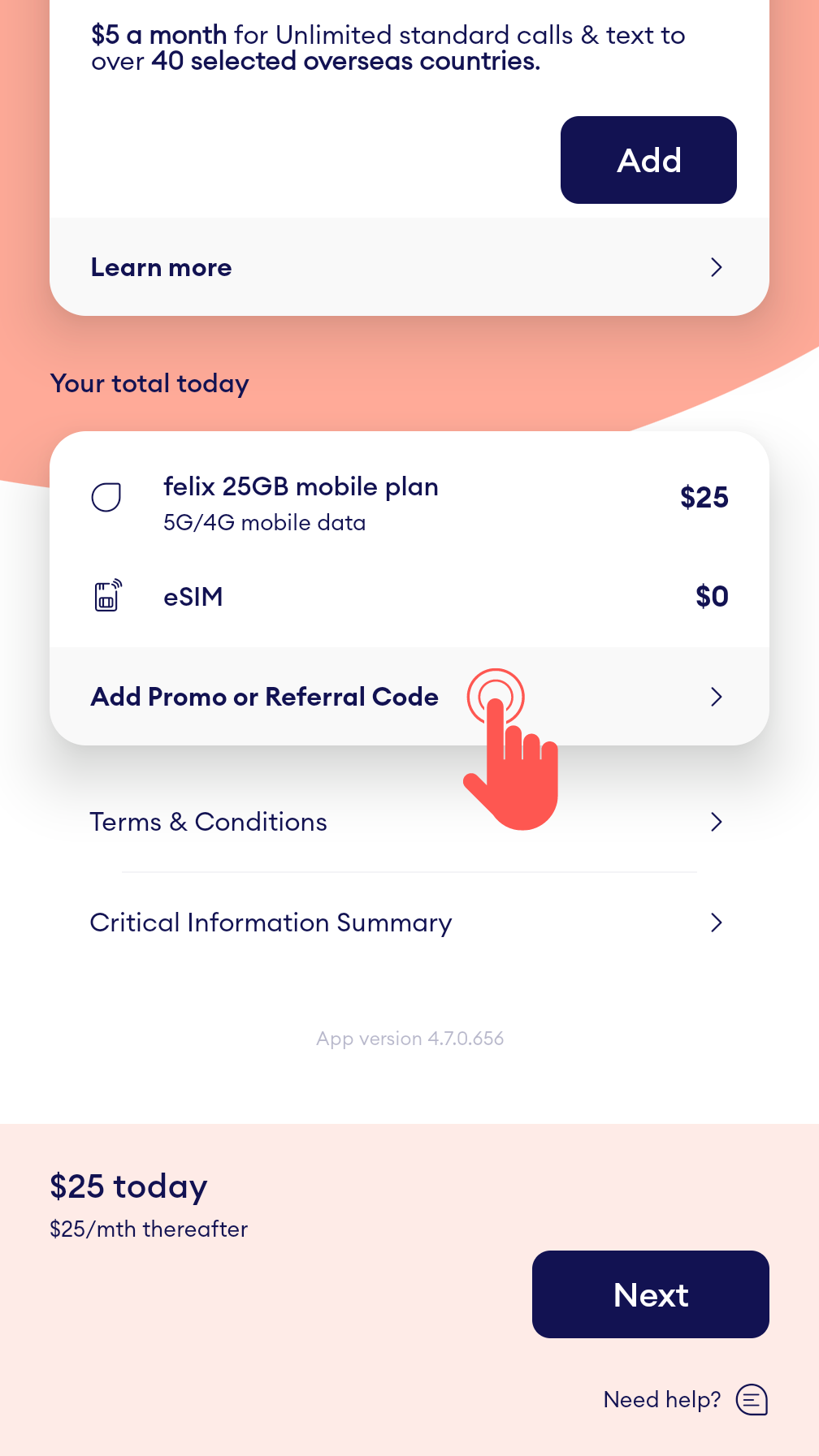
Here’s where to add it when signing up via the app:
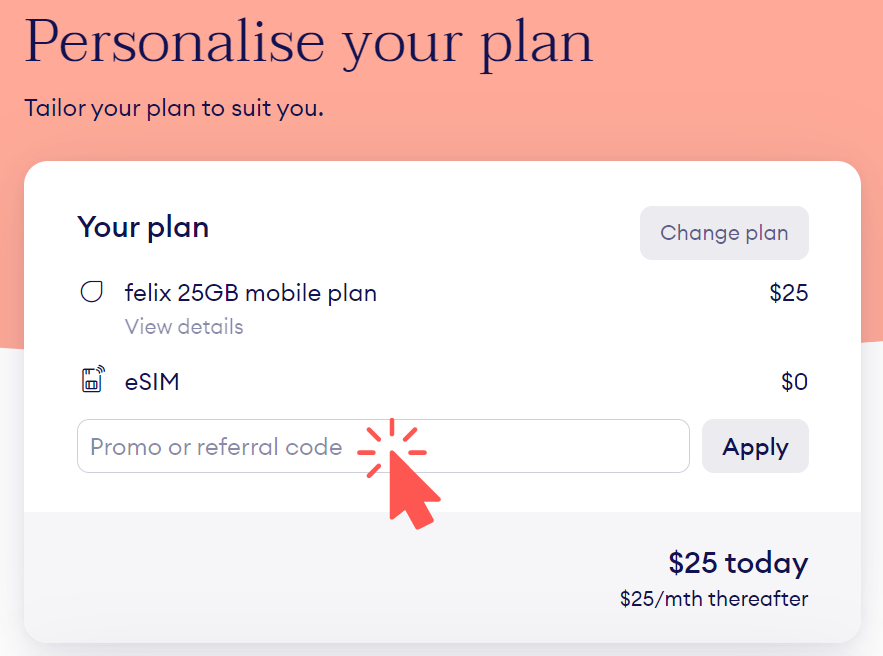
Here’s where to add it when signing up via the website:
Related Articles
Need more help?
Chat with us
Our Australian based support team is online until 8PM today (Sydney time). Support times

Need help?
Chat with us
Our Australian based support team is online until 8PM today (Sydney time). Support times
